
NFHS Network TV
NFHS NetworkSports
1.825.00 Reviews
- Version
- 2.0.1
- Installs
- 100.00K
- Age Rating
- Everyone
Screenshots

Our Review of NFHS Network TV
 Analysis by Appyee
When I want to follow a high school game but can’t get to the venue, I need more than a general sports feed: I need to know whether this particular school’s event is available and how to watch it without turning game day into a troubleshooting session. That’s the specific job I look to NFHS Network TV to do. It is a free sports app from NFHS Network, focused on high school events across the country, rather than a broad destination for professional leagues or every sport on television.
That focus is its main reason to install it. A parent keeping up with a student’s season, a relative who lives far from the school, or a local supporter who can’t attend every fixture may find it more relevant than a conventional sports-streaming app. I would not choose it as my only sports app, though: its appeal depends on whether the school and event I care about are available and on whether I’m comfortable with the cost of viewing beyond the free download.
Start with the school and the event
My first step would be to look for the school or event before making plans around a stream. That sounds obvious, but it matters more here than it does in a general sports app: the useful question is not simply whether the app has basketball or football, but whether it has the particular high school matchup I want to follow. Searching before tipoff or kickoff gives me time to find another way to watch if the event isn’t there.
Once I’ve found an event, I can decide whether watching live suits the day or whether I’d rather catch up later. The app is presented as a way to follow high school sports, and live viewing is the natural choice when I want to feel part of the occasion. For a busy evening, on-demand viewing can be more practical, since I can fit a replay or other available content around work, family plans, or travel instead of trying to watch at a fixed time.
Build a practical game-day routine
For a realistic example, imagine I’m a grandparent who can’t make a Friday game. I’d search for the school in advance, check whether the event appears, and make sure the device I plan to use is ready before the game begins. If it is available, I can watch from home and avoid relying on last-minute searching once play is underway. If I can’t tune in live, I can return later and look for the event as on-demand content.
That early check is a useful habit because a sports schedule is not interchangeable with a general video catalogue. I’d also treat alerts as a reminder rather than a guarantee that every event I care about will be available. A notification can help me remember to check in, but the decision-making step is still confirming the actual game in the app. That small distinction can save a frustrating rush right before kickoff.
The app’s audience is narrower than “anyone who likes sports,” and that is both its strength and its limitation. If I’m following a high school athlete, team, or local event, a dedicated service can be more useful than scrolling through professional coverage that never features the game I want. If I mostly watch major leagues, want a broad library of mainstream sports, or expect every local school to be covered, a general sports service or the school’s own updates may be a better first stop.
Following a game from search to replay
I’d treat the search as the point where a game-day plan either becomes reliable or needs a backup. I would first look for the school, then confirm the specific matchup and whether I mean to watch live or catch up afterward; that small check helps prevent a family handoff from passing along the wrong expectation. From there, the next question is whether the viewing option and its cost fit the occasion.
Finding the right stream
Hey there! So, I've been checking out the NFHS Network TV app, and let me tell you, it's a game-changer for sports enthusiasts. Whether you're a high school sports fan or just love catching live games, this app has a lot to offer. Let's dive in and see what makes it tick.
First things first, downloading the app is a breeze. Available for both Android and iOS, I grabbed it from the Play Store, and in no time, I was ready to roll. The app's design is clean and intuitive, making navigation super smooth. You don't have to be a tech wizard to find your way around, which is always a plus.
In practical terms, I’d use the search and category browsing as a two-part check: search for the school or matchup first, then browse the relevant sport if I’m not certain how an event is labeled. That helps avoid assuming a team’s game will be easy to spot under just one search term. For a family following multiple teams, checking the event details before sharing the viewing plan is also sensible; it reduces the chance of sending relatives to the wrong game or expecting a live stream when the plan is to watch later.
Live viewing and catching up
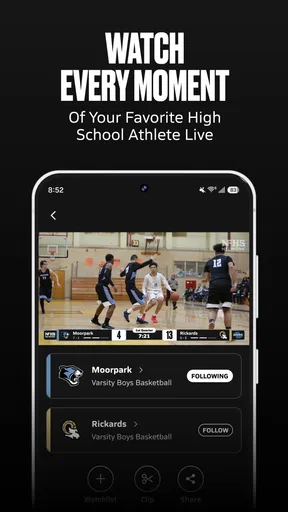
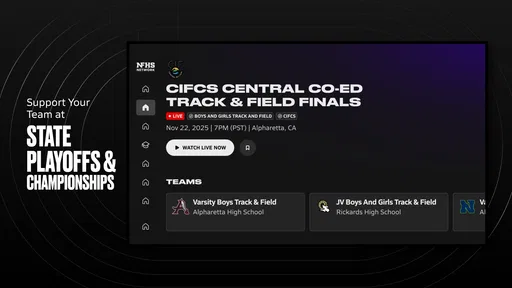
One of the coolest features is the live streaming of high school sports. Whether it’s football, basketball, or any other sport, you can catch all the action in real-time. And if you miss a game? No worries! The app lets you watch past games too. I found this particularly handy for those busy days when I couldn't catch the game live.
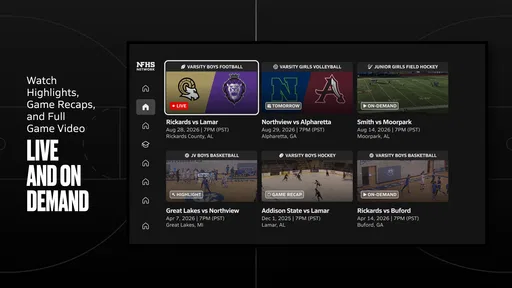
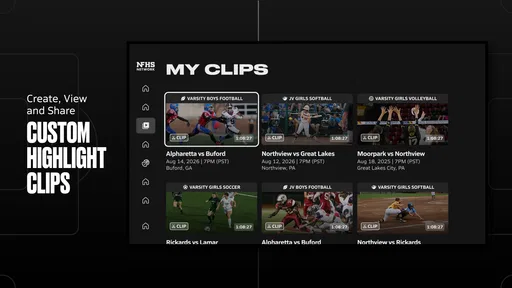
Another feature worth mentioning is the on-demand content. You can dive into highlights, full replays, and even special features covering various sports. It’s perfect for those moments when you want to relive the excitement or catch up on what you've missed.
The useful trade-off is control over timing, not a promise that every event will be available in every format. I’d decide in advance whether the live moment matters to me or whether a replay is enough. A parent who wants to see the whole performance may value a full replay; someone with only a few minutes might prefer highlights if they’re offered for that event. When sharing a replay with family, I’d send the event name and date in a message rather than assume everyone will locate the same item immediately.
Navigation, alerts, and handoffs
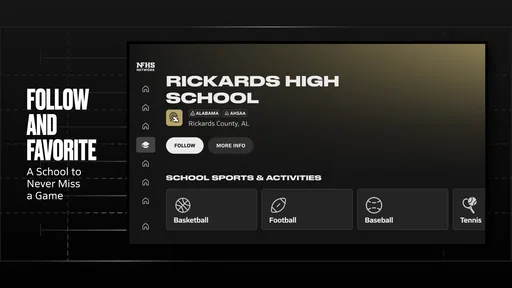
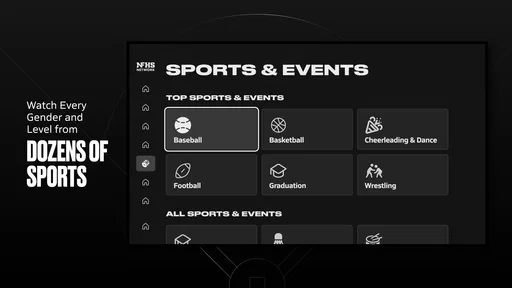
Now, let’s talk about the user experience. The app's interface is pretty straightforward. With categories clearly labeled, finding your favorite sport or school is a cinch. I really appreciated the search function; it’s fast and accurate, pulling up exactly what I was looking for without any fuss.
One thing that caught my attention was the notification feature. You can set alerts for upcoming games or events you don't want to miss. It’s like having a personal assistant who's got your back, ensuring you never miss a beat.
For a household, the handoff is simple but worth planning: the person who finds the event can tell others which school and matchup to look for, while each viewer should check that they can access the stream on their own device. I wouldn’t rely on a notification as the only plan for an important game; I’d use it as a prompt to open the app and verify the event. That makes the alert genuinely helpful without treating it as a substitute for checking the schedule.
There is also a practical difference between following one team and following several. If I care about multiple schools or sports, I’d make a short routine of checking the app before the weekend rather than searching from scratch every time. That is less exciting than watching, but it makes the service easier to fit into real life and gives me a chance to notice whether the event I want is actually listed.
What the viewing experience depends on
Streaming quality is where the app truly shines. I tested it over various networks, and the video quality was consistently solid. Whether I was on Wi-Fi or data, the streams were smooth, with minimal buffering. The app seems to have a way of adjusting quality based on your connection, which is fantastic.
Audio quality is also top-notch. The commentary is clear, and you can feel the excitement of the game, almost as if you’re right there in the stands.
Even with a good stream, I’d prepare for the ordinary constraints of watching live sports on a phone: a weak connection, a small screen, or a noisy room can make following a close game less enjoyable. For a big family viewing, a larger screen may be preferable if the app and device setup support it, while a phone is handy for checking in from elsewhere. I’d test the setup before the game rather than discovering a connection problem during a key moment.
Compared with social posts or score updates, a video stream gives me the actual play and atmosphere rather than a recap from someone else. Compared with a general streaming service, the draw here is the high school focus, not a wider catalogue of entertainment. Those alternatives still make sense if I only need a score, if the event I want isn’t listed, or if my viewing habits are centered on professional sports rather than local school competition.
Cost, compatibility, and expectations
Alright, let's talk about the cost. While the app is free to download, accessing the full suite of features does require a subscription. Prices are pretty reasonable, especially considering the amount of content available. Plus, there are various subscription options, so you can choose what works best for you. I found the monthly plan to be quite affordable, but there’s an annual option if you’re in it for the long haul.
I’d be cautious about treating the download price as the total cost of watching. The app includes in-app purchases priced from $13.99 to $79.99 per item, so I would check the purchase options shown for the event or access I want before committing. If I’m only following one game, I’d compare that cost with the value I expect to get from watching; for a family following a season, the decision may look different. I would not choose a plan based on a vague expectation that it covers every event without first checking what the app offers for my needs.
The app is rated for Everyone, which makes it suitable for a broad audience in that respect, but that doesn’t remove the need for an adult to understand any purchase choices when a child is using the device. It is currently at version 1.8.1 and supports Android 7.0 or later. The average rating is 2.1 from 40 ratings, with 12 written reviews, so I’d approach it with realistic expectations rather than assuming the experience will be effortless for every viewer. Its 100K+ installs show that people do use it, but popularity alone doesn’t settle whether it has the game or viewing arrangement I need.
For someone comparing options, the decision is fairly clear: choose this app when high school events are the point, and use a general sports app, school communications, or another viewing option when the goal is broader coverage or a quick score. I’d also skip it if I don’t want to pay for access after downloading or if I’m unwilling to check event availability before game day. That isn’t a criticism of the focus; it is simply the trade-off of choosing a specialist service over a general one.
My recommendation after the final whistle
Overall, the NFHS Network TV app is a must-have for anyone passionate about high school sports. It’s packed with features that cater to both live and on-demand viewing, all wrapped up in a user-friendly package. Whether you're a parent, coach, or just a fan, this app is your ticket to staying connected with the exciting world of high school sports.
So, if you haven’t already, give it a try. Download it, explore the features, and immerse yourself in the thrill of the game. Trust me, you won’t be disappointed!
My more measured recommendation is to start with the event, not the subscription: find the school and matchup you care about, decide whether live viewing or a replay suits your schedule, and then review the available purchase choice before paying. That order keeps the app’s strongest use—following high school sports you might otherwise miss—front and center while avoiding an assumption that a free download means every stream is included.
I’d recommend it most to families, alumni, and local fans who have a specific high school team to follow and are willing to check availability ahead of time. If that describes you, the focused coverage and option to catch up later can make it a useful companion through a season. If you want a wide-ranging sports library or only need basic scores, I’d look elsewhere first. For me, it works best as a focused way to stay connected to school sports, with the cost and event-by-event planning kept in view.
Privacy and Permissions
See what permissions an app requests and how it handles your data.
- Other
- view network connections, expand/collapse status bar, full network access, run at startup, prevent device from sleeping
Verdict
Strengths of NFHS Network TV
- High-quality streaming for live sports events.
- User-friendly interface with easy navigation.
- Extensive coverage of high school sports.
- Option to watch replays of past games.
- Regular updates and improvements.
Limitations of NFHS Network TV
- Limited to high school sports content.
- Requires subscription for full access.
- Occasional buffering during peak times.
- Not all sports are covered.
- No offline viewing option available.
Other Releases by NFHS Network
View All
NFHS Network
Sports3.9
Similar Picks in This Category
View All
BeSoccer: Soccer Live Score
BeSoccer apps4.3

Cricbuzz - Live Cricket Scores
Cricbuzz.com3.7

NFL
NFL Enterprises LLC2.4

Da Fit
MO YOUNG LIMITED3.6

ESPN
Disney4.5

LiveScore: Live Sports Scores
LiveScore Limited4.5
Frequently Asked Questions
What is NFHS Network TV and what does it offer?
NFHS Network TV is a streaming service that provides live and on-demand coverage of high school sports and events. It offers a wide range of sports, including football, basketball, and more. Users can subscribe to watch their favorite teams, access exclusive content, and enjoy high-quality broadcasts from anywhere.
Is NFHS Network TV available on both Android and iOS platforms?
Yes, NFHS Network TV is available for download on both Android and iOS devices. Users can access the app through the Google Play Store and the Apple App Store. This ensures a seamless experience across different devices, allowing easy access to high school sports content.
Does NFHS Network TV require a subscription to access content?
Yes, NFHS Network TV requires a subscription to access most of its content. While some highlights and clips may be available for free, a subscription grants full access to live streams and on-demand games. Various subscription plans are offered, catering to different user needs and preferences.
What types of events can I watch on NFHS Network TV?
NFHS Network TV covers a wide range of high school sports, including football, basketball, baseball, soccer, and more. Besides sports, the platform also streams other high school events like ceremonies and performances. This diversity ensures that users can enjoy a comprehensive range of high school activities.
How reliable is the streaming quality on NFHS Network TV?
The streaming quality on NFHS Network TV is generally reliable, offering high-definition broadcasts for most events. However, the experience can depend on your internet connection. It's recommended to have a stable and fast internet connection to ensure smooth streaming and to avoid interruptions.
